
Quick Links for Reference Macros: Basic Maneuvers Special Maneuvers
Please note this is a work in progress and probably always will be. This is documentation on how I got Street Fighter to run on Roll20, a virtual tabletop used for playing table games over the internet. This system does not require any subscription to Roll20, so if you keep your graphics library under control and don’t mind seeing an ad when you first log in it should cost you nothing but less time than I’ve spent on it. It does require some up-front work but since I was stupid enough to do most of the data entry you can get away with a lot of copy-pasting.
What about Foundry/FGU/MapTool/Owlbear Rodeo/whatever else I like to spam about on Reddit as being better than Roll20 so I can be a condescending douchebag with lots of upvotes?
Then write your own goddamn system. I spent quite a bit of time trying to convert one of the available OWoD systems in Foundry to work with Street Fighter before realizing I am not a code guy and don’t care to spend the time and effort required to become enough of a code guy to do it. This was the way I found to get up and running as fast as possible.
Character Sheet
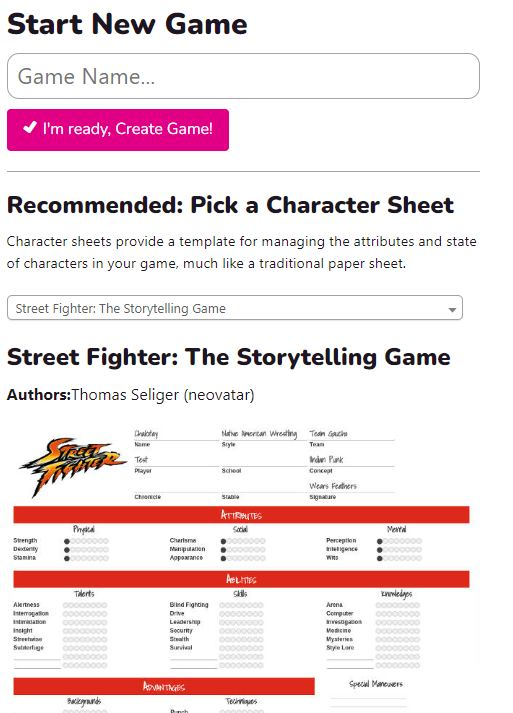
This is the easiest part for me, because I didn’t have to build it. When you create a new campaign in Roll20, you are asked to select a character sheet. Look through the list for Street Fighter the Storytelling Game by Thomas Seliger (neovatar). Thomas built this sheet many years ago and it hasn’t been changed or updated since, making it an ideal microcosm of the whole Roll20 system. It doesn’t have fancy built-in buttons but it does exactly what we need it to.
Create a Token
Once you build a character sheet and (kinda important) give it Health, Chi, and Willpower, you can create a token for it. To do this you press the Edit button on the upper right corner of the character sheet. No, I don’t know why it’s called that instead of “Edit Token.”
Find, draw, or steal the image you want for you character portrait. To make a round pog-style token out of the image you just stole, head over to TokenStamp and drop the image in the editor, pick a border, and download it. In this case we’re making Dehrik Savage, because we hate ourselves, and using his low res picture from the original rulebook to make his token.
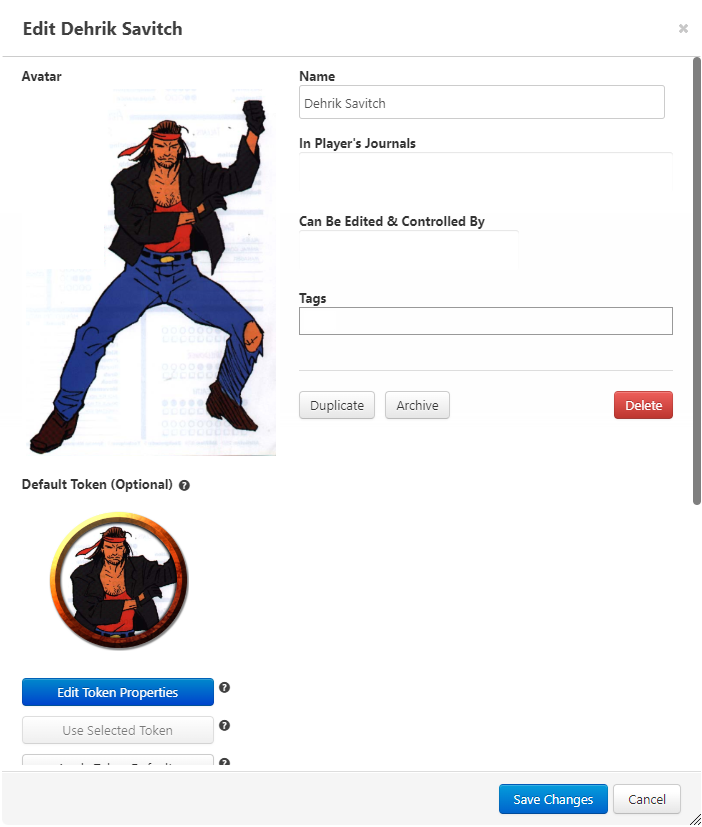
If this is a player character, because you hate your player, add it to the journal and control lists for that player. Now use the Edit Token Properties button.
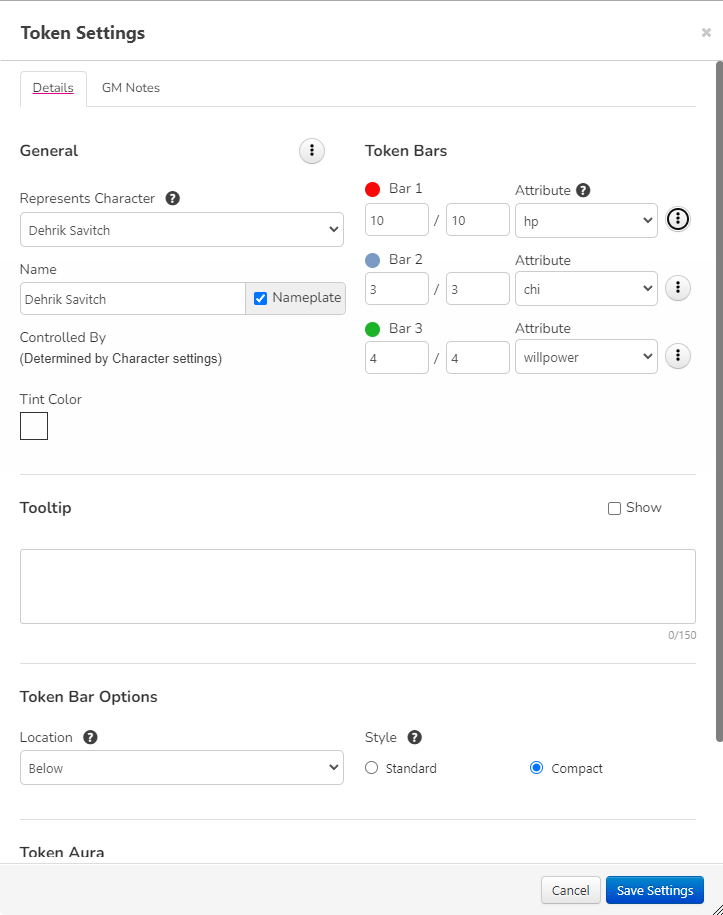
Use “Represents Character” to link it to the character sheet; do this even for goons or none of their macros will work. I like using three bars to represent Health, Chi, and Willpower as shown above, and I put compact bars underneath the character so they don’t get in the way of everything else on the map. Set player visibility (those buttons with the three dots) as you like; I let my players see Health bars for everything but not Chi or Willpower.
Mooks: When creating mooks (Thugs, Ninjas, Henchmen, etc.) you will typically drag a bunch of tokens from the same character sheet onto the map. The problem with this is if one takes 4 damage, you’ll see all of them take 4 damage. The solution is when you edit the token for a mook, instead of assigning status bars to hp, chi, and willpower, assign them to “none” but give them all the appropriate values manually.
Dice Basics and the First Shared Macro
Because Street Fighter is crazy hard to automate due to the number of variables, in particular Soak modifiers, the most common thing you have to do is roll an OWoD dice pool. The formula in Roll20 syntax for rolling X number of 10-sided dice, success on a 6 through 10, and a botch (-1 success) on a 1 is as follows:
/r Xd10>6f1
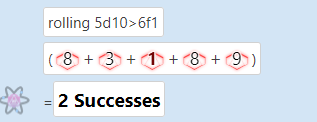
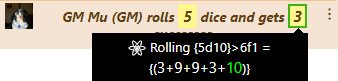
(For mathematical purists, yes this looks wrong but in Roll20 syntax > is actually >=.) So if you want to roll a 5 dice pool in Roll20 you can just type /r 5d10>6f1 in the chat box and get something like this:
You can just manually type dice formulae every time you need to roll dice, but you shouldn’t. Let’s create a macro to ask the player how many dice to roll, then roll the pool. Enter this in the text chat or in a test macro:
/r {?{Number of Dice}d10}>6f1
You get a little popup prompt asking you for a number of dice, then they get rolled as in the example above. This can be saved as a macro.
However, this is messy to read and takes up a lot of vertical space in the chat box, which you will need shortly even if you don’t use it for chat. So let’s take this formula and put it into an emote macro which will look neater and take up less space.
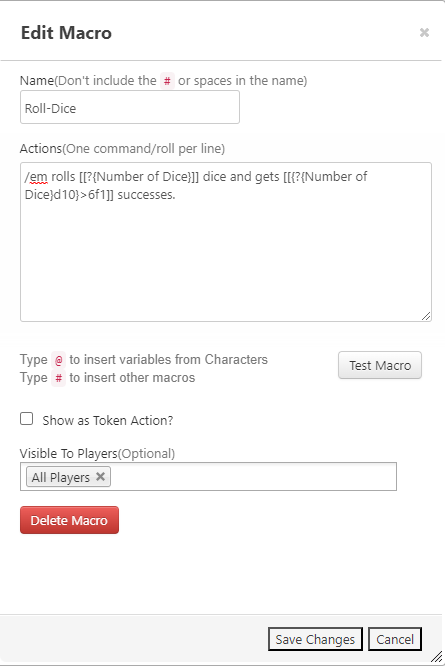
/em rolls [[?{Number of Dice}]] dice and gets [[{?{Number of Dice}d10}>6f1]] successes.

The individual die rolls can still be seen if you mouse over the result.
Take this text and save it as a macro called “Roll-Dice” using the Collection tab in the upper right of Roll 20 (it looks like 3 dots and 3 horizontal lines; yeah, don’t ask me why it looks like that or is named that). Make sure you set it as Visible to All Players so when a player joins your game they’ll be able to go to the Collection tab and check off “In Bar,” which puts it at the bottom of the screen. You do this too. Don’t check off “Show as Token Action” as that’s going to interfere with the stuff we have to do a bit later.
Basic Maneuvers and Similar Stuff (More Macros)
For my Google Doc containing basic maneuver macros, go to https://docs.google.com/document/d/1UoZF6uMB-_FIdJTMq3qJCj-YZc3jDEu435rjoJDLKFk/edit?usp=share_link
In theory you can play Street Fighter with the Roll-Dice button and some tokens to move around a map, but the thing that makes Street Fighter, well, Street Fighter is the combat card system. Let me put this up front: card systems in all VTTs suck. Yes, even in your favorite pet VTT. That’s why instead to trying to wrestle a card system into something usable we’re just going to use a bunch of macros, starting with the basic maneuvers available to everyone with a dot in the technique. These macros have one main purpose and one auxiliary purpose:
- Main Purpose: to add a token’s speed into the turn tracker, something that has to be done every turn, and if necessary modify this speed due to Blocks, combos, knockdowns, etc.
- Auxiliary Purpose: let the GM know which card(s) you picked just as if you have a card face down on the table so it doesn’t “magically” change later, along with some notes on what your maneuver does and how it works.
So instead of going through the madness and trial and error I used to build the base macro, let’s take the macro for the Jab basic maneuver and break down how it works and what it does. As the GM you should know how this stuff works, in case you ever have to debug a broken/mispasted macro or you want to build your own some day.
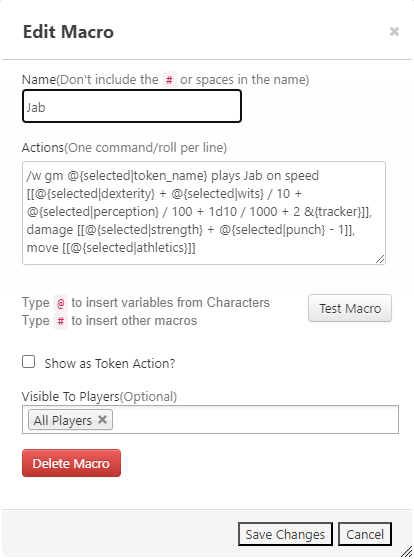
Looks like a lot for a simple Jab, but there’s a lot that goes into a Street Fighter card, so let’s break it down.
- /w gm @{selected|token_name} plays Jab The /w makes this a whisper, which means it’s only visible by the sender and the recipient, in this case the GM. (When the GM uses this macro, for example for an NPC, only the GM sees it.) @{selected|token_name} pulls the name of the token that is selected. Whenever a maneuver macro is used, it’s very important that the token performing the action is selected. More on this for the GM later.
- on speed [[@{selected|dexterity} + @{selected|wits} / 10 + @{selected|perception} / 100 + 1d10 / 1000 + 2 &{tracker}]], This is the part that sends your speed to the tracker. To keep the game moving, I’m including the tiebreakers into this formula. First, the base stat for speed is used (in this case Dexterity). Then 1/10 of the token’s Wits, as this is a tiebreaker in case speed is the same, followed by 1/100 of the token’s Perception (same reason), then 1/1000 of a d10 roll. Since Jab has a +2 Speed modifier, this is added at the end to keep it legible and easier to edit. &{tracker} is Roll20 syntax to send a result directly into the turn tracker.
- damage [[@{selected|strength} + @{selected|punch} – 1]], move [[@{selected|athletics}]] These are reminders to tell the player what the maneuver does. You can probably figure it out just by looking at it. If the maneuver had any special effects or Chi/Willpower costs, these would be written here as well.
There are also some buttons in this array that have to do with modifying Speed. This happens due to a previous Block, a combo chain, a Knockdown, stuff like Musical Accompaniment or Rekka Ren, etc. In this case there’s a macro called Modify-Speed that just asks for a speed modification, and a couple called +2-Speed and -2-Speed just because those are the most common modifications. Play these after entering your actual maneuver macro to change the speed in the turn tracker.
In addition, if you want to just use buttons to indicate a modifier like Jump with a basic maneuver (to make it aerial) you can do this, but use the Jump button before the maneuver or else the speed entered into the turn tracker will be for just a Jump.
As the GM you’ll want to have all of these macros “In Bar,” though if you know there will be no weapons this session you can skip “Disarm” and “Parry-(Weapon)”. You players generally want to have all of them as well, though characters who will never use a particular technique (e.g. a Boxer with no Kick) can skip the buttons associated with that technique.
Ordering the Buttons: Each player, including the GM, can drag around the buttons on the bottom of the screen into whatever order they prefer.
The Existential Nightmare of Special Maneuvers
For my Google Doc containing special maneuver macros, go to https://docs.google.com/document/d/1qMgj5Y1od-VXlfbgKi5a3ezmCuHJp5CIQ2Jluzl3ijw/edit?usp=share_link NOTE: This document is incomplete, as the Weapons section and Elemental Focus sections are not done yet. In addition only the Steve Wieck Cartwheel Kick is coded because goddamnit I got him to make it so I’m going to damn well use it, and I will not be party to spreading the unholy evil of the original Cartwheel Kick.
Street Fighter has a lot of special maneuvers. If we carried on like we did for the basic maneuvers and put them all in the macro bar the GM’s screen would be filled with nothing but buttons that served no purpose, in some cases (Ear Pop) ever.
Instead, we will have a large document of special maneuver macros that are very similar to our Jab above, but they will just live in a document until a character actually needs one. When this happens (at creation or when a PC learns something new) a new macro will be created directly on the character sheet. When the token is selected, that button will appear on the top of the screen. Let’s look at an example.
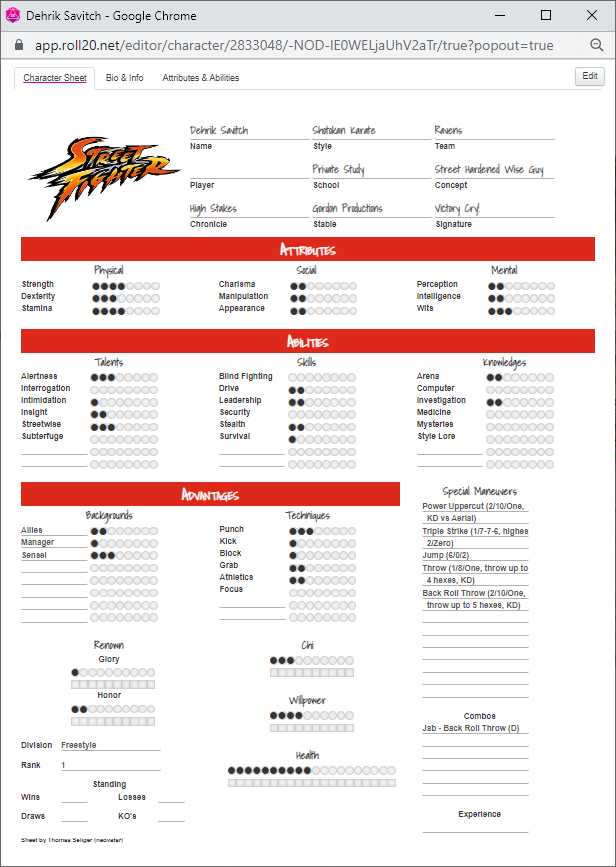
For some reason, perhaps because you hate yourself, you’ve created Dehrik Savitch’s character sheet in your Street Fighter game. He has the usual array of horrible beginning Shotokan maneuvers, and now you have to get macro buttons for them. Let’s start with Power Uppercut, the usual maneuver tax for anyone who wants Dragon Punch or Hyper Fist sometime.
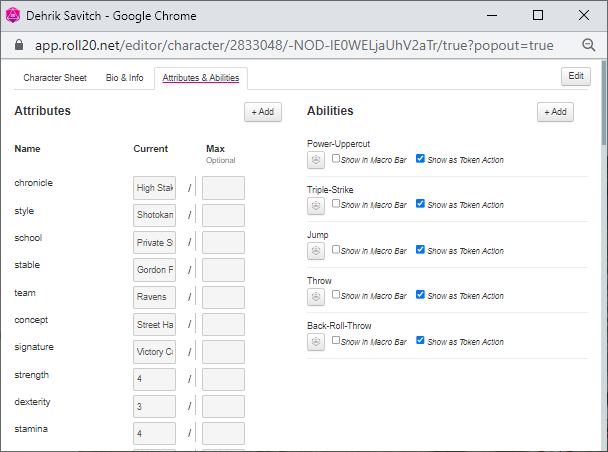
Go to the Attributes & Abilities tab. You can see here I already have macros because I do hate myself, but play along. Create a new Ability with the +Add button. (No I don’t know why this isn’t just called Macros). Name the ability Power-Uppercut and copy-paste the text for Power-Uppercut from the Google doc I linked before.
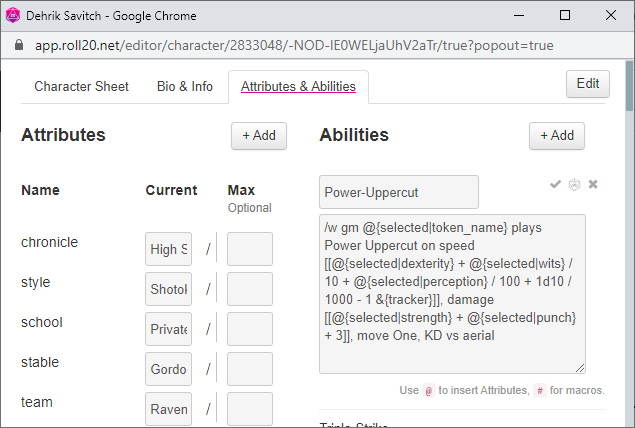
Then you close it with the same nearly imperceptible check mark thing you used to open it up. Check off “Show as Token Action.” Once you have all your macros set up and showing as token actions, drag your character to a test map and click on it.
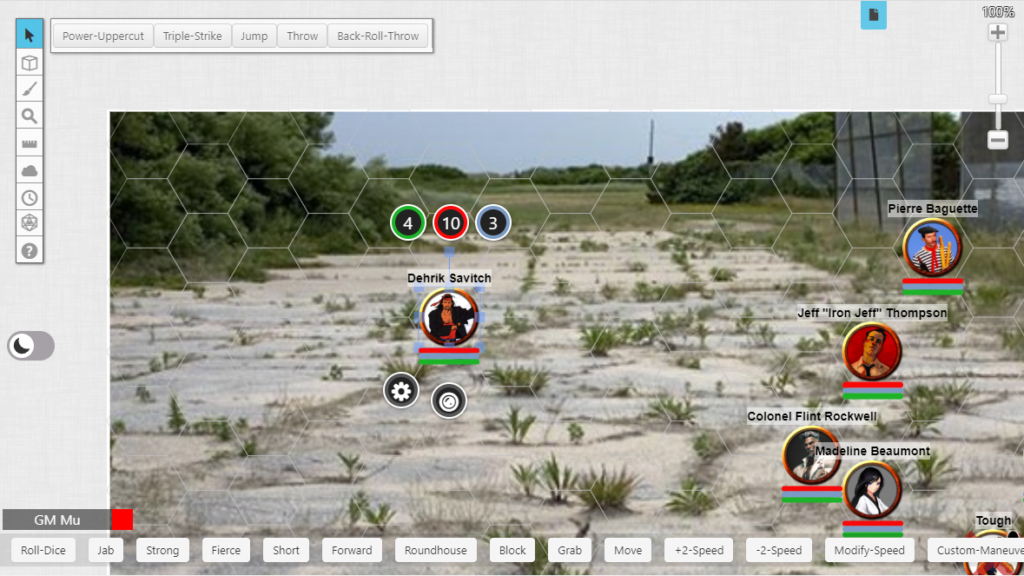
Open up the combat tracker and test the maneuver buttons. They should work but you never know.
Basic Combat Example
So now you have a few character sheets and tokens built as directed, and you want to know why you bothered to go through all of this. Let’s look at setting up a simple team fight with all numbers out in the open, which is awful but a lot of people still play this way. That’s okay, as playing RPGs is a highly customizable hobby and many people therefore play them wrong.
Keep in mind in Street Fighter the lowest speed acts first, and characters with higher speeds may interrupt them. This means a couple extra button presses during combat to reorder the tracker but it’s not that big a deal.
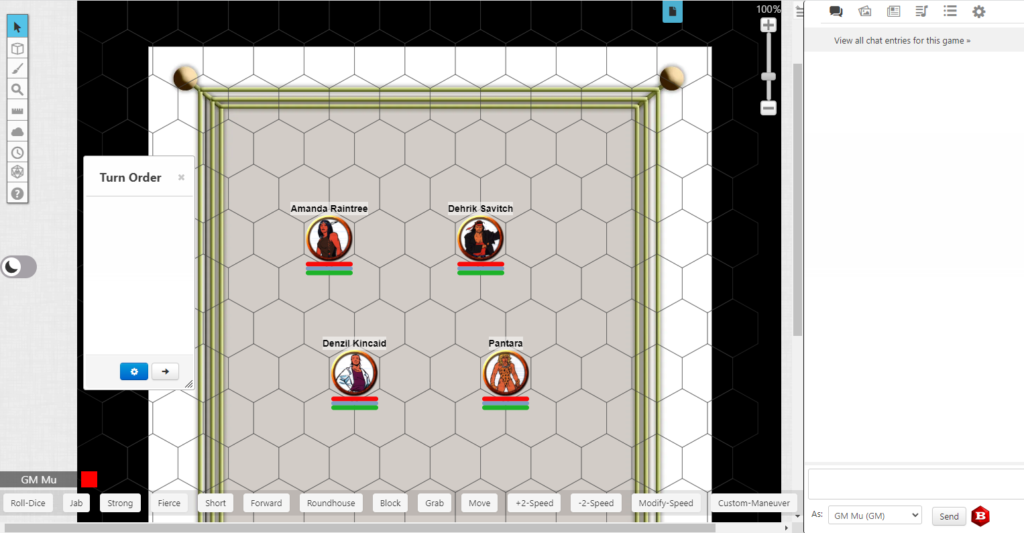
For some reason, probably because they hate themselves, the members of Team Raven from the core rulebook are all fighting each other, in a 2v2 pitting Amanda and Dehrik against Denzil and Pantara, who would be using her animal companion to cheat except she just found out Street Fighter doesn’t actually have any rules for animal companions.
ROUND ONE
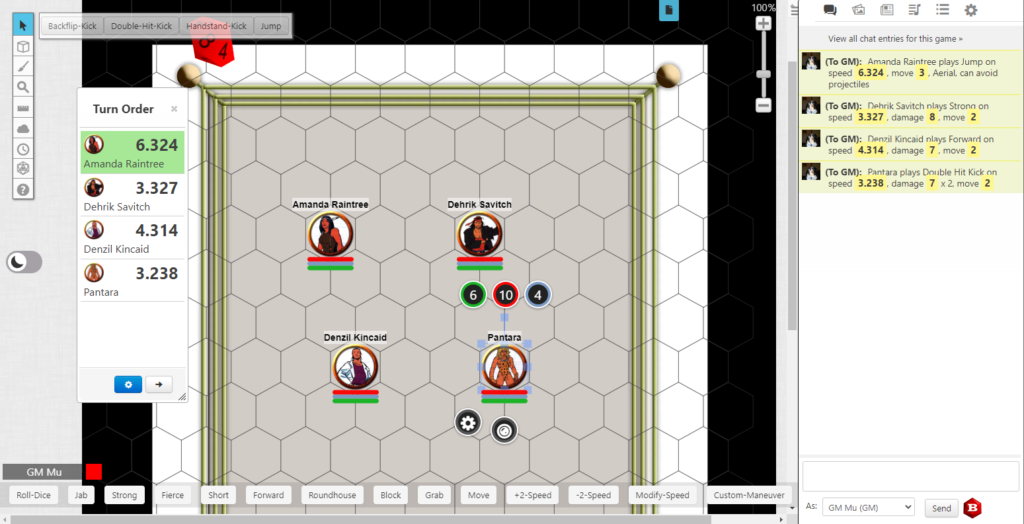
Everyone has chosen a maneuver, and it’s recorded in the chat log as GM whispers. Note than Pantara and Dehrik both go on speed 3, but the tiebreakers are already calculated, which comes into play in the next step.
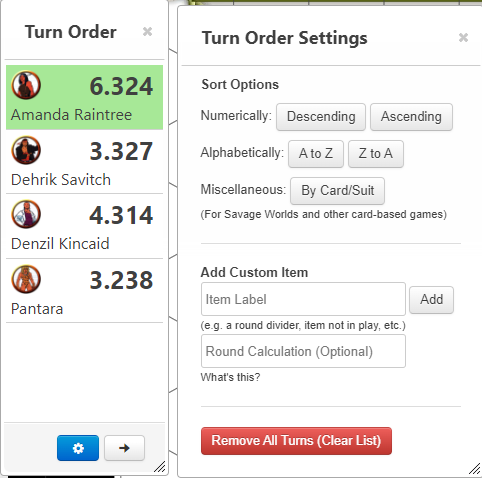
Once everyone has chosen, the GM clicks on that little blue gearbox on the turn tracker and chooses Sort Options/Numerically/Ascending.
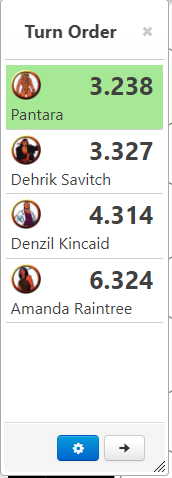
Pantara goes first and moves two hexes toward Dehrik to use a Double-Hit Kick. Dehrik, being just slightly faster thanks to tiebreakers, interrupts to throw his Strong punch. Note that Denzil or Amanda could interrupt here, but Denzil’s maneuver can’t reach Dehrik and Amanda chose Jump, which doesn’t help anyway.
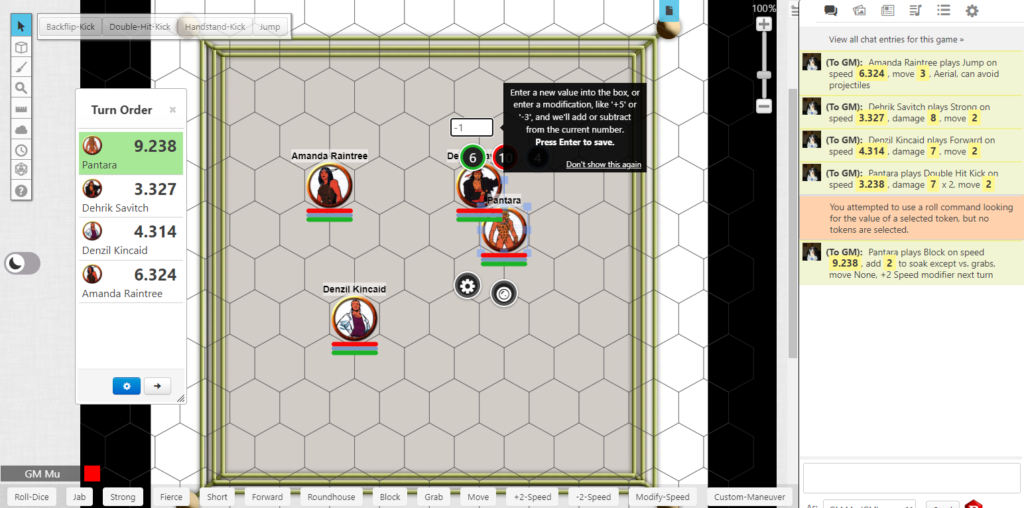
Suddenly remembering she has 2 Stamina and can’t eat hits, Pantara aborts to a Block. She hits the Block button, gets an error because she didn’t have herself selected (this happens a LOT in Roll20), then does it properly. She Blocks on speed 9 and spends 1 Willpower for the abort. You can spend Willpower by ticking off boxes on the character sheet, manually entering a new value on the token, or entering -1 on the token as shown here.
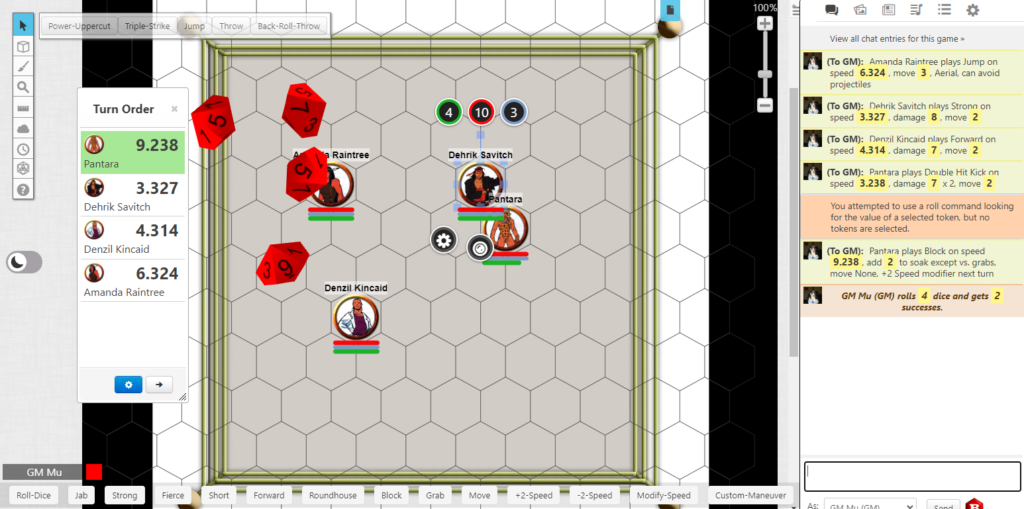
Dehrik completes his maneuver. His Strong punch does 8, and Pantara’s soak with her Block is 4, so he rolls 4 dice and gets 2 successes. Pantara takes 2 damage. If the GM wants to keep things tidier, he can remove both of them from the tracker, which is something I recommend for bigger team fights or mook fights.
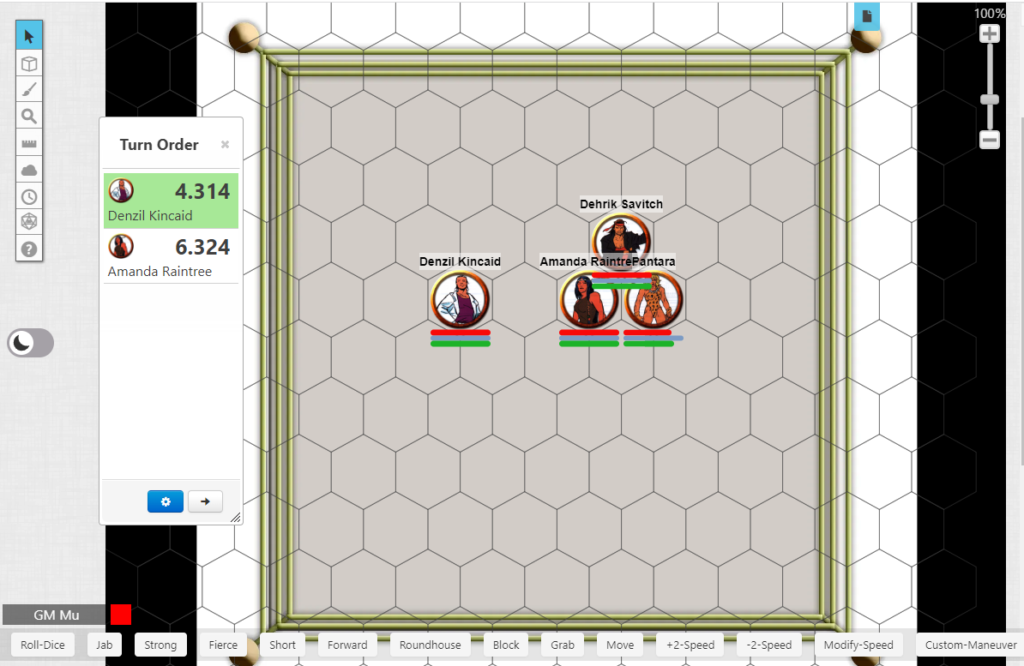
Denzil is next and moves two hexes toward Amanda to use his Forward kick. Amanda interrupts with Jump and lands next to Pantara. Denzil opts not to do stupid stuff like abort to Block for a speed bonus and the round is over.
ROUND TWO
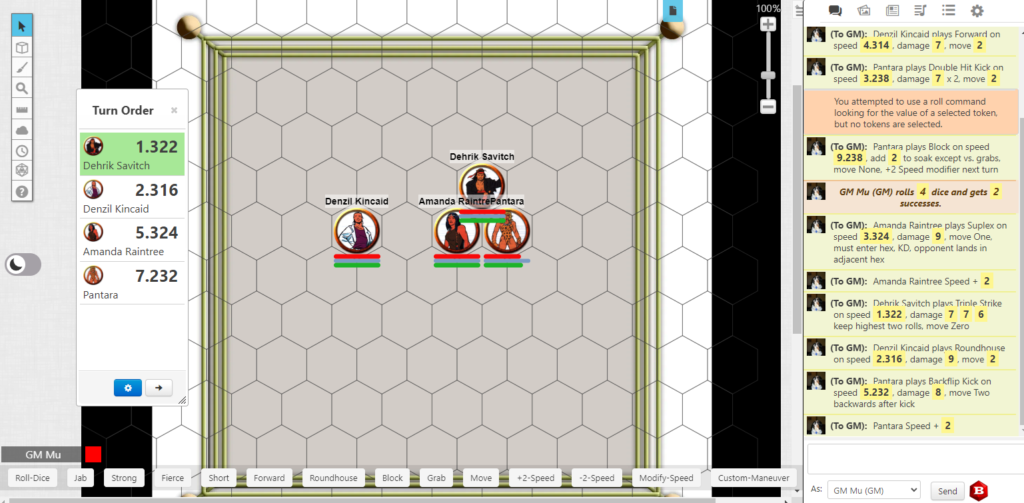
Everyone chooses maneuvers and the GM sorts the turn tracker. Note that Amanda and Pantara each have +2 speed added to their maneuvers, Amanda because of a combo, and Pantara because she blocked last turn.
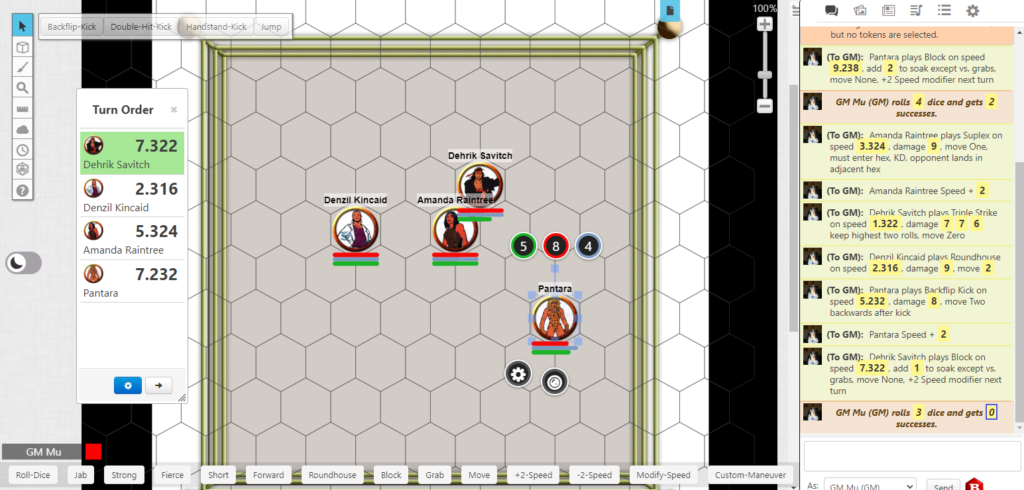
Dehrik is first, proving his tactical brilliance by playing Triple Strike on speed 1, and Pantara interrupts with Backflip Kick on 7. This is too fast for Amanda to react to. Dehrik opts to spend 1 Willpower and abort to Block, which is just barely fast enough to help him. Pantara does no damage on her 3 dice but manages to move out of range since she didn’t botch. The GM removes Pantara and Dehrik from the turn tracker.
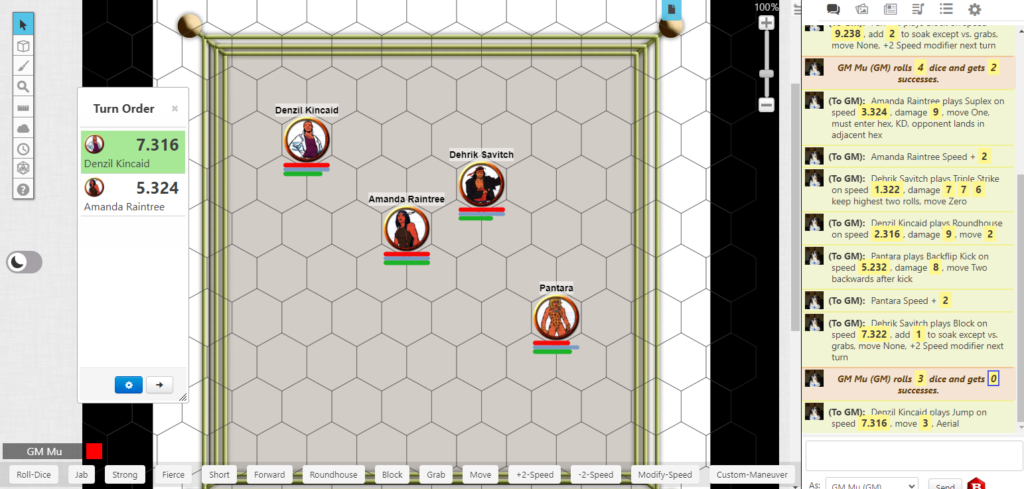
Denzil moves in to Roundhouse Amanda, who shocks him by entering his hex. After the GM curses until he remembers Alt-Drag allows tokens to be moved around without snapping to hexes so everyone can see both of them, Denzil remembers that someone entering your hex is usually very bad and spends 1 Willpower to abort to Jump. Amanda watches him bounce away, happy to make him waste resources this early in the fight, and the round is over.
This combat can continue as long as it has to, which is probably until everyone on Team Raven realizes they could have optimized a lot better and make up new characters.
GM Tip: Hiding NPC Speeds in the Turn Tracker
If you spent any time thinking about that example above, or have ever played Street Fighter where everyone just turns up their combat cards before each round, you know there’s a weakness in knowing everyone’s speed: it becomes very easy to predict what moves everyone is doing and therefore meta-cheat the combat. If for example Dehrik Savitch’s player announces speed 7, even without turning a card face up, it’s pretty obvious to anyone paying attention that he’s playing a Block, which means everyone who’s not using a grab maneuver just ignores him.
This becomes more of a problem as the GM, where you not only have to manage the maneuver choices for several fighters or maybe a dozen or so mooks, but unless you’re a dick you’re trying not to meta the hell out of the players.
The answer is to hide initiatives, but to let the GM see them. This is a problem for player characters, as they need to be able to see their tokens to pick maneuvers and do things, which in Roll20 means their initiatives are also exposed. There’s not much you can do about that (see below to one idea to handle PvP matches) but you can hide NPC initiatives. The way you do this is slightly complicated, but is the only way I’ve found in Roll20, barring some stupid arcane AI stuff I’m not willing to pay for:
- Copy your NPC tokens and paste them into the GM Info layer (this makes them invisible to non-GMs)
- When choosing maneuvers for your NPCs, switch to the GM Info Layer and choose your maneuvers there
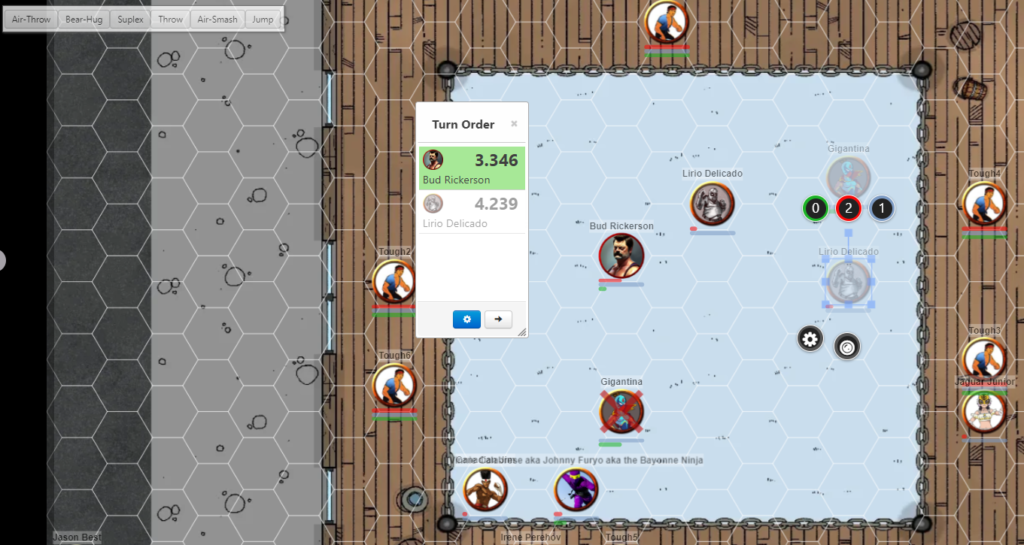
In this example, the player character Bud Rickerson is on the normal token layer so his player can use him, and his chosen speed shows up as opaque in the turn tracker. For the enemy NPC Lirio Delicado, the GM has a GM Info layer invisible copy on the map and his maneuver is chosen there. From Bud’s player perspective, Lirio’s initiative is not visible in the turn tracker.
GM Tip: Populating Mooks
Many times during a Street Fighter adventure, the PCs will be fighting a bunch of thugs, gangsters, maybe even cops. These are mooks, identical enemies designed to make the players feel better about beating up normal people while also draining them of resources they may need later in the game.
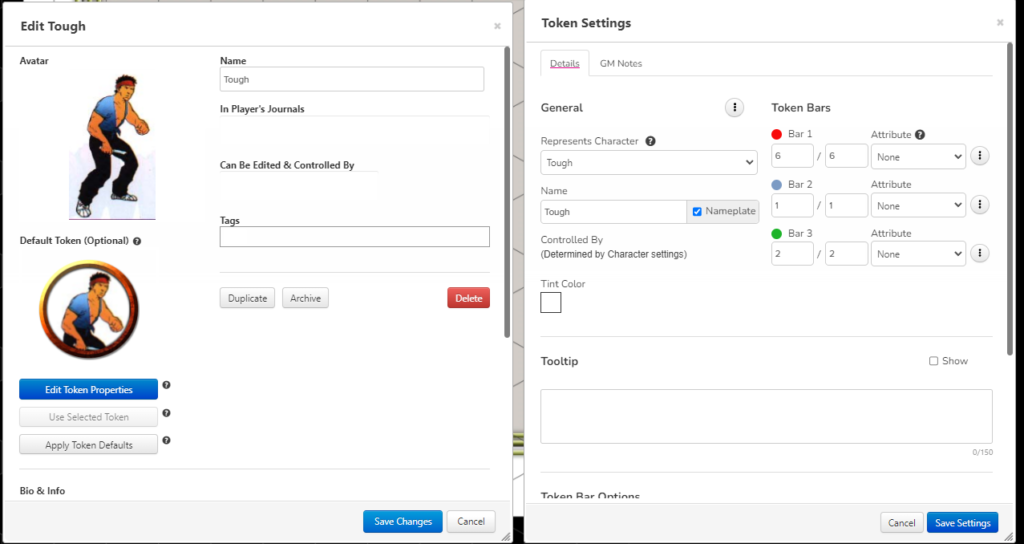
As pointed out above when creating tokens, when you create a master token for mooks you enter the values for Health, Chi and Willpower, but instead of linking the attribute you select “None” as in the above image. If you don’t do this every time you apply damage to one of the mooks the damage will apply to the character sheet, and therefore to all tokens of that type. By selecting “None” you can apply damage to every mook independently.
When you drag mooks onto the board, they will all have the same name (in this case “Tough”). This can make things hard during a fight even if you select the same maneuver for all of them every single turn; some may have been knocked down, maybe that guy over there blocked, maybe you actually choose maneuvers that make a tiny bit of sense.
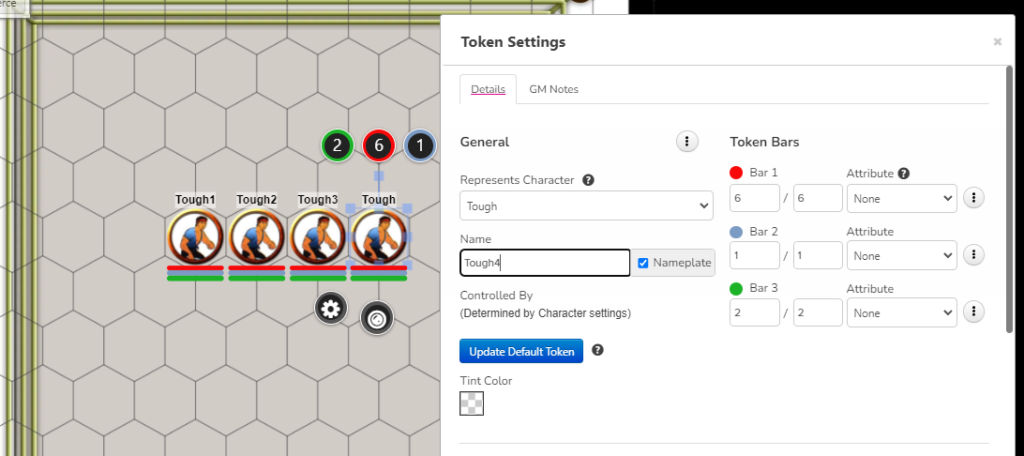
When you set up your scene, therefore, take your multiple mooks and add a digit to the end of their names. If the name is not set to visible to players, they won’t know the difference between them except for their visible health bars. (I like to keep these visible since other wise you will be forever fielding questions about which one is wounded more than the others.)
You can, of course, copy them to the GM Info layer and use this for secret initiatives as outlined above. Sometimes I do, sometimes I don’t. They’re mooks after all and sometimes it’s better to just let the players kick some ass rather than entertain the subtle distinction between the speeds of a Knife Jab and a Knife Strong.